Referral Program
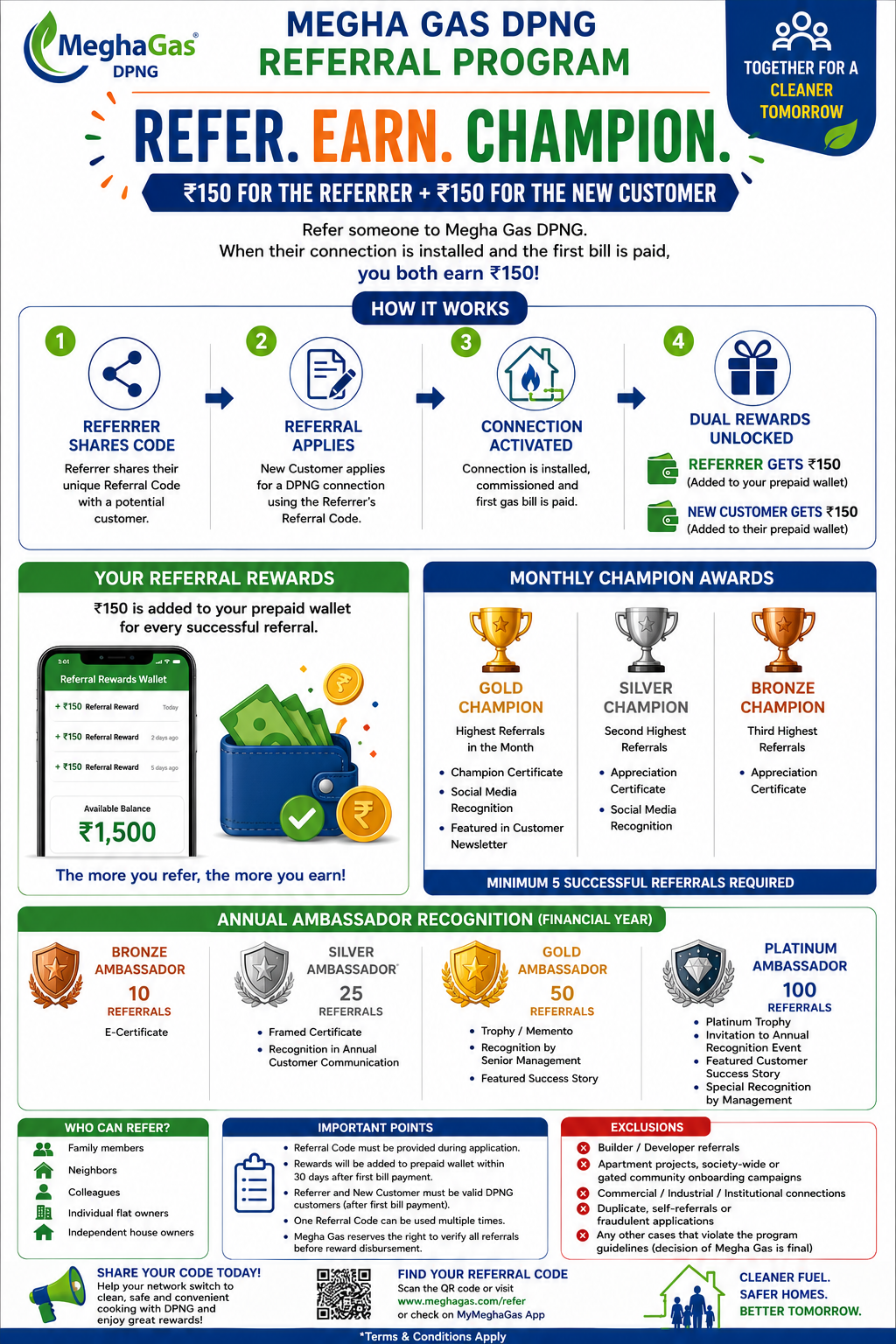
How to Refer a Customer
1. Download the App
Get the MeghaGas Connect mobile app from the Play store.
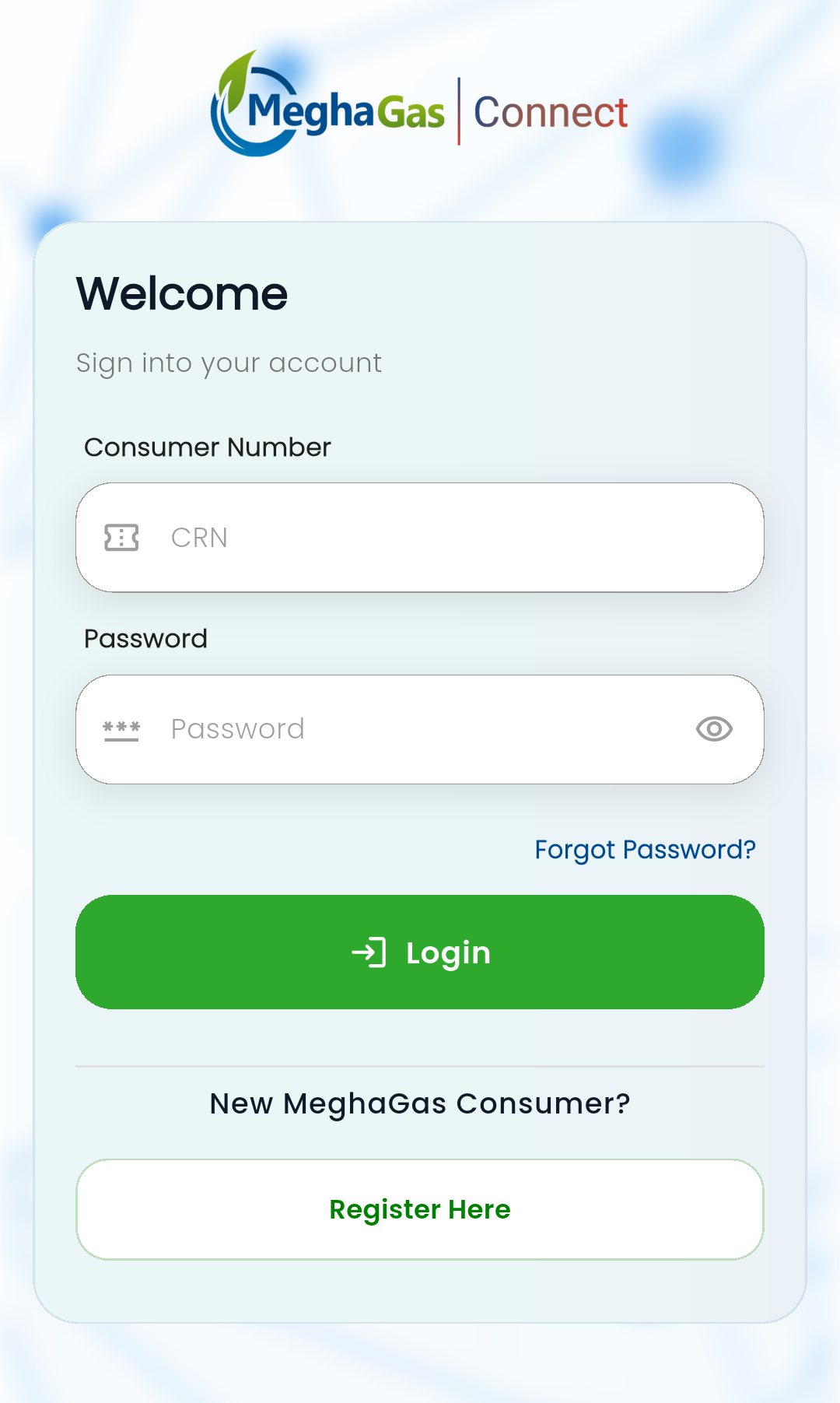
2. Login
Sign in with your registered account details.
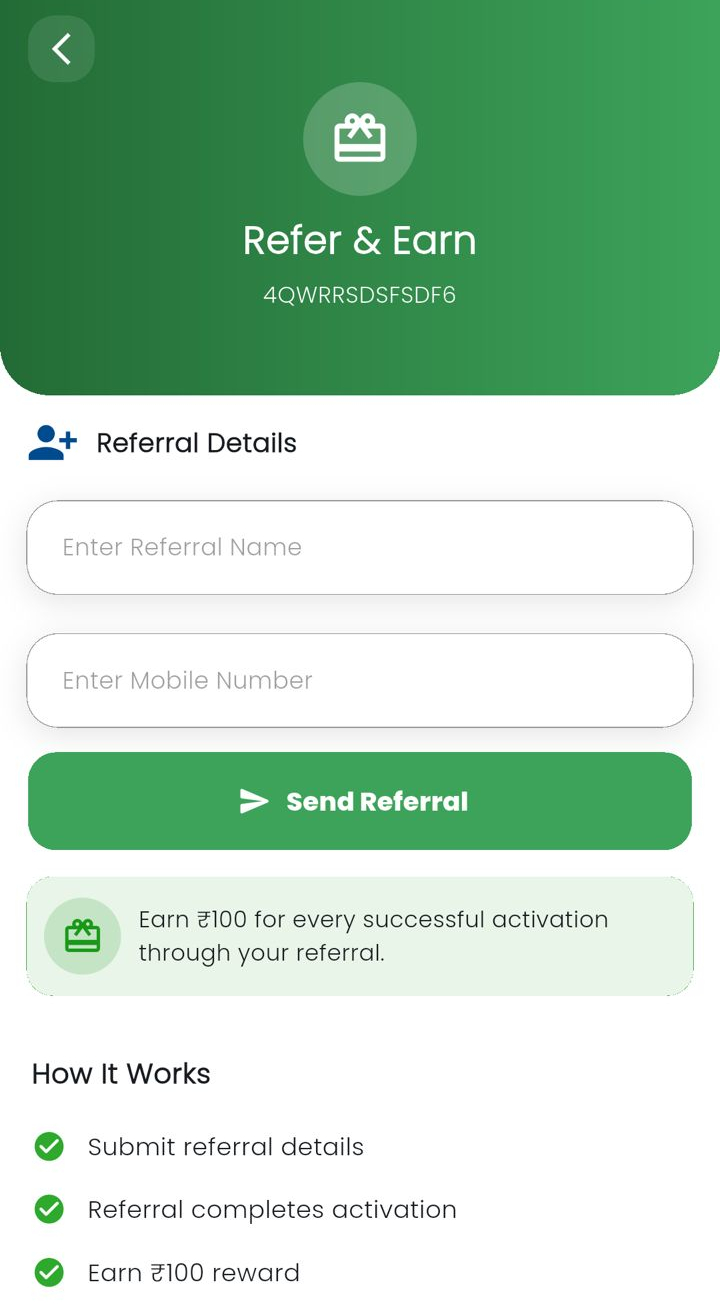
3. Referral Form
Tap the Referral icon to open and fill out the referral form.
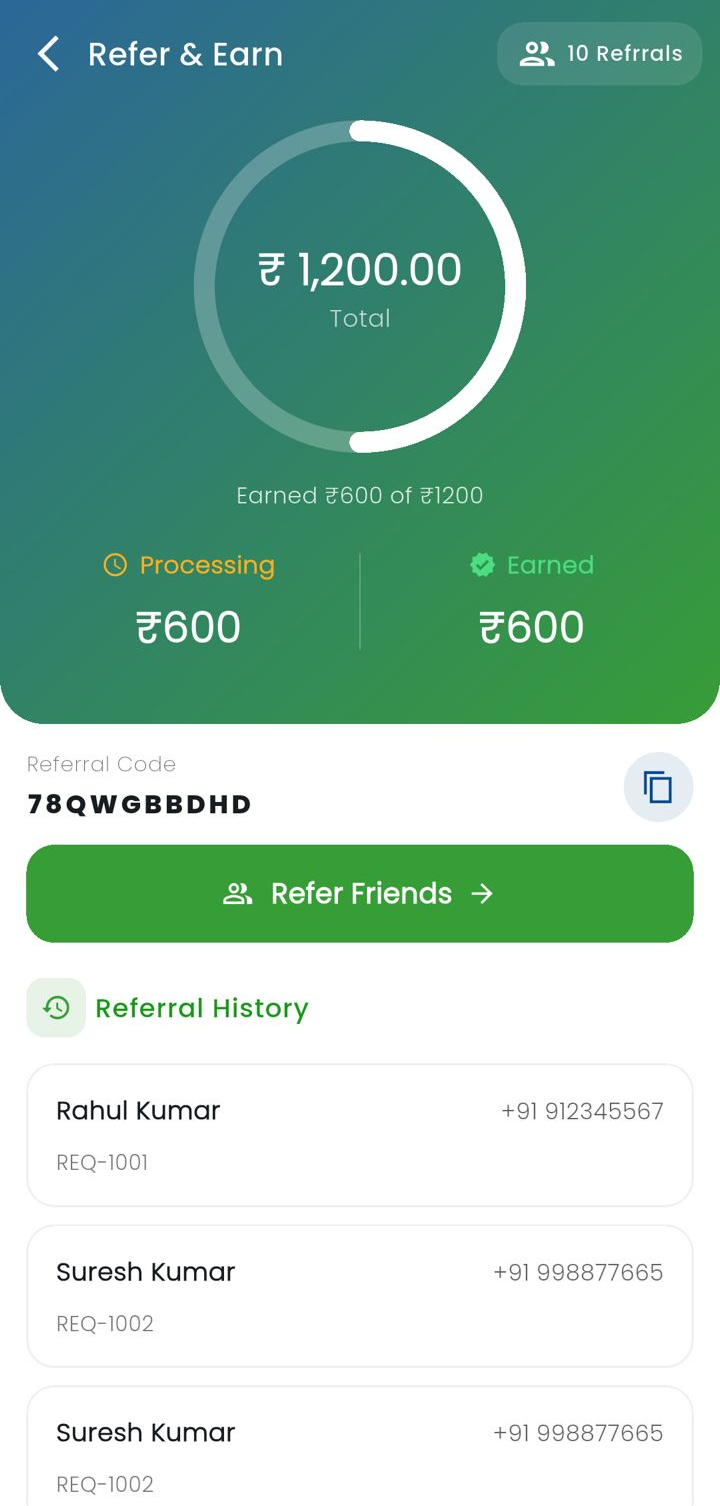
How to check earned rewards and referral code
- Sign in with your registered account details.
- Tap the Referral points icon on top of the App screen.
- You can check the total earned referrals, total bonus earned and your referral code.
FAQ's
What is the MeghaGas Referral Program?
The program lets you refer new customers, earn rewards you both get, and become a referral champion.
How do I refer someone?
- Download the App: Get the MeghaGas Connect mobile app from the Play Store.
- Login: Sign in with your registered account details.
- Fill Referral Form: Tap the Referral icon and submit the form.
How can I check my rewards?
Tap the Referral Bonus icon in the app to view your earned rewards.
How can I check my referral Code?
Tap the Referral Bonus icon there you can find your referral code as well as referrals list.
Terms and Conditions
- Referrel Code must be provided during application
- Rewards will be added to your referrel page with in 30 days after first bill payment.
- Refeffer and New customer must be valid DPNG customers (after bill payment).
- One referrel code can be used multiple times.
- MeghaGas reserves the right to verify all referrals before reward disbursement.
- Builder / Developer referrals
- Appartment Projects, society-wide or gated community onboarding campaigns
- Commercial / Industrial / Institutional Connections
- Duplicate, self referrels or fraudulent applications
- Any other cases that violant that program guidelines (decision of MeghaGas is final)